Kids in Tech
Kids in Tech
Hands-on technology learning that helps young people become confident creators, problem-solvers and responsible users of AI.
Inspiring young minds. Building a digital future.
Career Unlocked is the complementary programme for older learners. While Kids in Tech builds practical technology and AI skills in the classroom, Career Unlocked helps learners preparing for university, bursaries, internships and employment present their strengths with confidence.
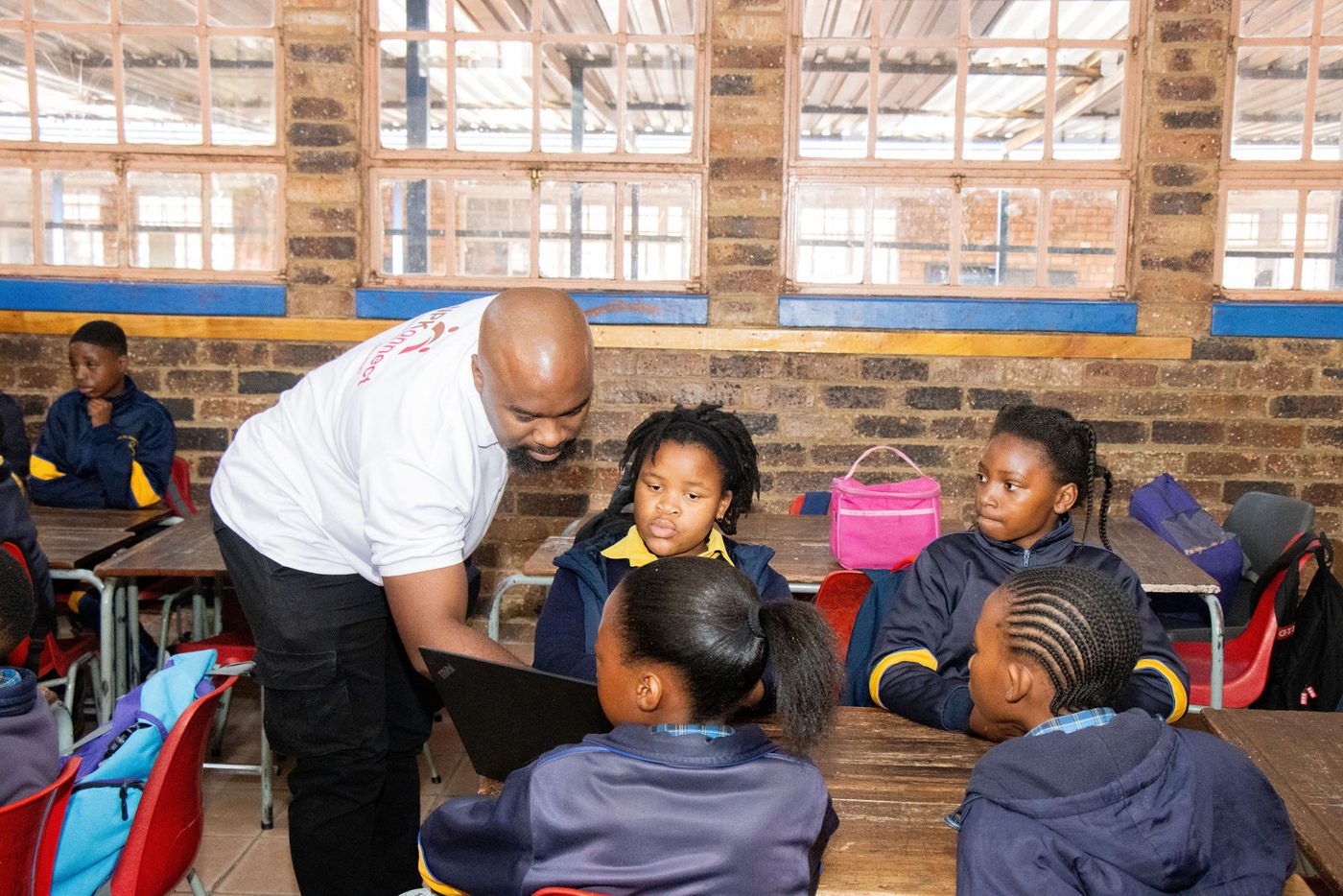
Our workshops in action
Photographs from our workshops
Photographs from a Kids in Tech workshop. Select an image to view it larger.
Quarterly school visits
A Kids in Tech visit every quarter
Every school that purchases the BrightLearn app receives one Kids in Tech school visit per quarter, where our team teaches learners AI and practical technology skills.
Schools contact the BrightLearn team to arrange their visits at a time that suits the school calendar. Tell us about your learners and we will plan the session with you.
What learners can explore
The wider Kids in Tech curriculum
These are the areas the Kids in Tech curriculum covers. A single visit focuses on what suits your learners, so not every area is covered in one session.
Graphic design
Create logos, choose colours and put together promotional material.
Website and app interface design
Plan layouts and build simple prototypes of screens.
Web development
Explore how websites are built and create simple pages.
Business skills
Develop ideas and understand costs, revenue and pitching.
Artificial intelligence
Understand what AI is, practise prompting and explore responsible use.
Data analysis
Use spreadsheets, charts and introductory data skills.
Digital communication
Practise clear messages, collaboration and digital etiquette.
Learning by creating
An example: the Cookie Shop project
This is an example from the curriculum showing how the areas fit together in one project. It is not a record of what every learner in our photographs completed.
- 1
Develop the idea
Decide what the shop sells and who it is for.
- 2
Design the brand
Create a name, logo and colours for the shop.
- 3
Plan and build the website
Sketch the pages, then build a simple version.
- 4
Explore AI support
Use AI to help write text and suggest ideas, responsibly.
- 5
Understand the numbers
Look at simple sales data, costs and what it means.
Included with your school's BrightLearn portal purchase
Career Unlocked
Career Unlocked: Ready for Your Next Step
Help your learners present their strengths, explore opportunities and approach applications with confidence. Career Unlocked develops practical skills for the transition from school to further study and the world of work.
It is designed for older learners and students preparing for university, bursaries, internships and employment, including opportunities within universities. Examples are adapted for learners who have no previous work experience, using school projects, volunteering and achievements instead.
Career direction and personal branding
Identify strengths, interests and goals, build a career action plan, practise a short personal introduction and understand what a professional digital presence looks like.
CV building and applications
Create a first CV using education, projects, volunteering and achievements, tailor it to an opportunity, use clear formatting, and practise application emails and supporting statements.
LinkedIn profiles and networking
Develop a headline, About section, education and skills sections, showcase projects, and learn professional communication and networking. Where a live account is not appropriate, learners work on profile-planning exercises instead.
Bursary and job interview preparation
Research the organisation or bursary provider, explain study and career goals, describe achievements and motivation, and practise structured answers, video interviews, thoughtful questions and follow-up messages. Mock interviews cover bursaries, internships, entry-level jobs and university-sector roles.
What learners work towards
- A first CV
- A LinkedIn profile draft or improvement plan
- A personal introduction
- A career action plan
- Interview practice with feedback
These are learning goals for the sessions, not guarantees of a placement, bursary or job for every learner.
School enquiry
Bring Kids in Tech to Your School
Every school that purchases the BrightLearn app receives one Kids in Tech school visit per quarter, where our team teaches learners AI and practical technology skills.